
 cdkd
cdkd
Introduction
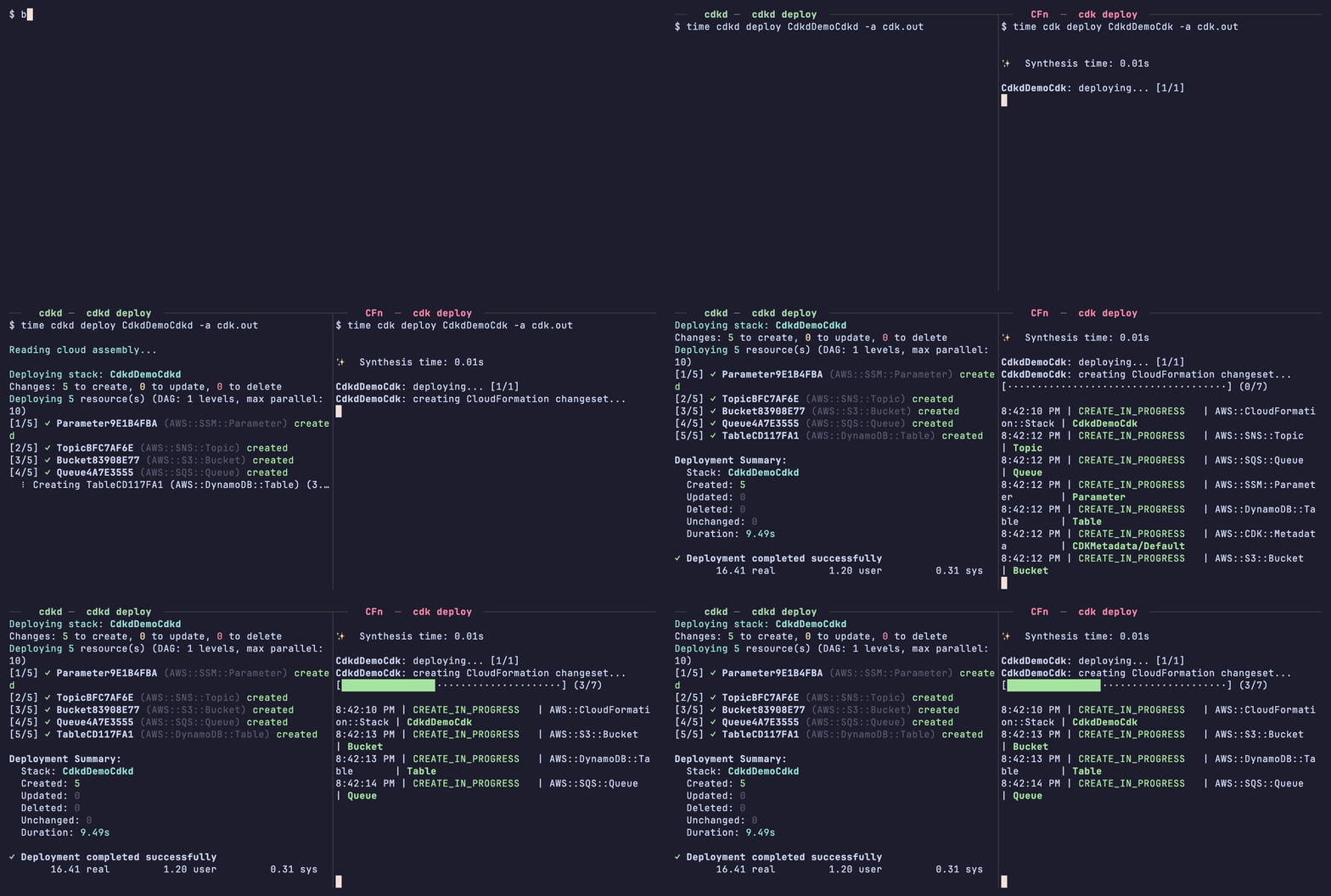
cdkd is a command-line tool that deploys your existing CDK app by calling AWS
APIs directly, without going through CloudFormation. Deploys are up to 15x
faster, and your CDK code does not change. You run cdkd deploy where you ran
cdk deploy:
npm i -g @go-to-k/cdkd
cdkd bootstrap        # once per AWS account
cdkd deploy MyStack   # from the directory that holds your cdk.json
Where the speed comes from
cdk deploy turns your CDK code into a CloudFormation template, hands the
template to the CloudFormation service, and waits while the service works
through it. cdkd produces the same template and then does the work itself:
- It creates each resource by calling that service's API directly.
- It runs resources in parallel, and starts each one as soon as the resources it depends on are done.
- With
--no-wait, it returns once AWS has accepted each create call. Slow resources such as CloudFront distributions and RDS instances then finish in the background.
cdkd destroy is fast for the same reasons. The Benchmarks
compare cdkd with CloudFormation, CloudFormation Express mode and Terraform.
When to use it
Use cdkd where you deploy often and want each deploy to be short: your own dev stacks, test environments, per-pull-request environments in CI, and the deploy-and-tear-down loops of AI coding agents.
Keep using the AWS CDK CLI for production, because CloudFormation gives production deploys change sets, stack policies and the rest of its tooling. The two tools work side by side: one CDK app can be deployed by cdkd to a dev environment and by the AWS CDK CLI to production.
You can also move a stack from one tool to the other at any time. Import Existing Resources brings a CloudFormation stack under cdkd, and Hand a Stack to CloudFormation hands a cdkd stack back.
Important
cdkd is for dev and test workflows only. It is early in development and not yet production-ready.
What else it does
cdkd also covers the work around a deploy:
- Local execution.
cdkd localruns your Lambda functions, APIs and ECS tasks on your machine. It can take environment variables, secrets and resource references from the deployed stack, so you do not write a.envfile by hand. See Local Execution. - Rollback. When a deploy fails, cdkd undoes what that deploy did. See Roll Back a Failed Deploy.
- Drift detection.
cdkd driftreports resources that were changed in AWS outside cdkd. See Detect and Fix Drift. - Deployment history.
cdkd eventsshows what each past deploy did. See Review Past Deploys.
Find your way
Try it on your CDK app
Install, bootstrap, deploy, tear down. Getting Started
Understand what a deploy does
The pipeline, state, and how changes are decided. Core Concepts
Make deploys faster
What --no-wait skips and when it is safe. Choose a Wait Mode
Recover from a failed deploy
What is undone and what you run. Roll Back a Failed Deploy, and Troubleshooting for a specific error.
Use cdkd next to CloudFormation
One app, two tools. Run Beside CloudFormation, Import Existing Resources, Hand a Stack to CloudFormation
Give every pull request an environment
Deploy on open, destroy on close. Create Per-PR Environments in CI
Run your app locally
Functions, APIs and tasks on your machine. Local Execution
Work with an AI coding agent
Install the cdkd skill. Use cdkd with AI Coding Agents
Look something up
Every command and flag in the CLI Reference; which resource types work in Supported Resources.